


TenantCloud
4.1128.00 Reviews
App Specs
- Version
- 1.33.0
- Updated On
- License
- Free
- Downloads
- 10,000+
- Developer
- TenantCloud LLC
- Categories
- House & Home
- Platform
- Android
Screenshots
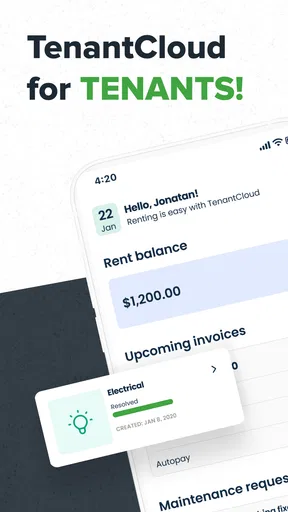
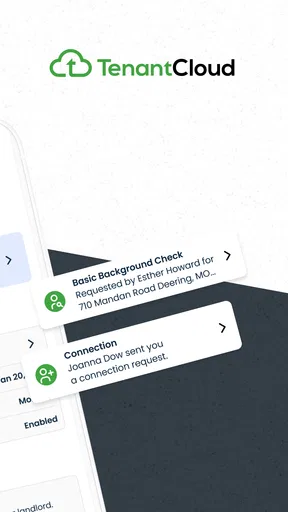
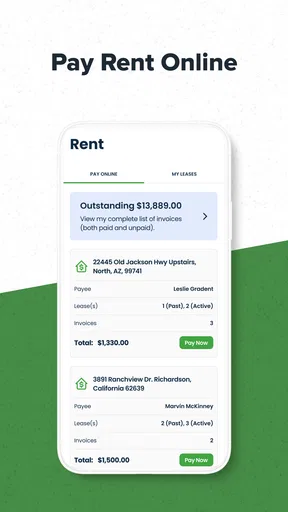
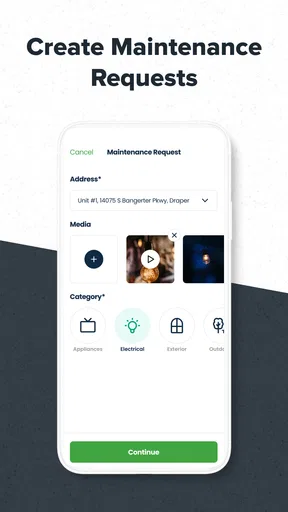
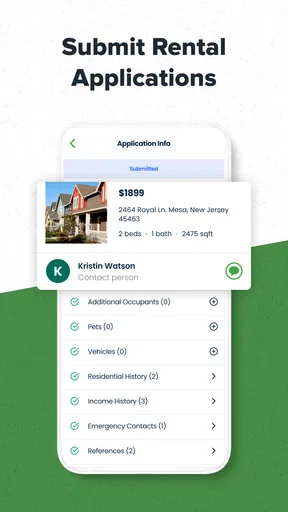
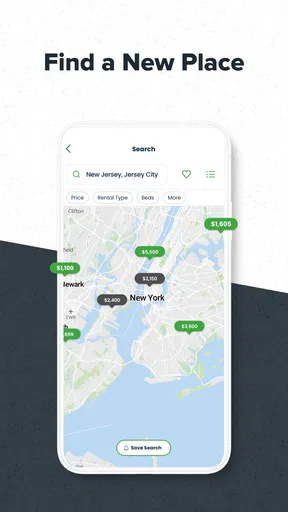
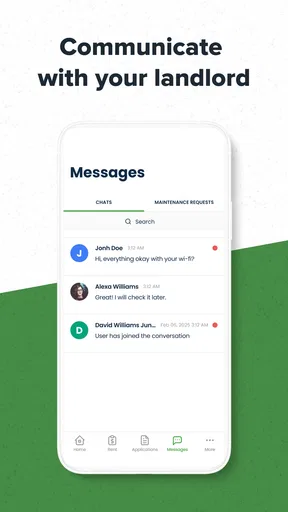
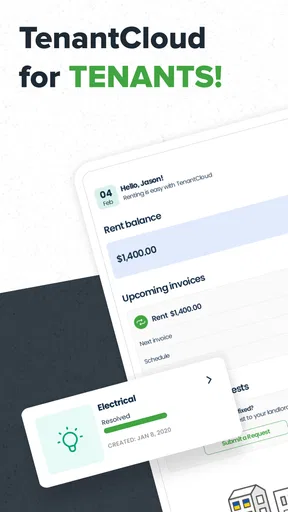
 Analysis by AppCompare
I look at TenantCloud as a better fit for renters who want a shared place to handle the practical side of renting than as a general home-organizing app. That distinction matters: if your main need is tracking chores, decorating plans, or household spending, a notes app or shared calendar may be simpler. If your landlord uses TenantCloud, though, having the tenant-facing app can make rental tasks easier to follow without relying on scattered messages and documents.
Start with the landlord relationship
The most important question before downloading is whether your landlord or property manager actually uses TenantCloud. A tenant app is only useful when the other side of the rental relationship is connected to the same service. If they are not, you may end up with an app that does not replace your existing process for payments, repairs, or lease communication. I would check this first rather than assume that installing it alone will move everything into one place.
That makes TenantCloud different from a general budgeting tool or a personal reminder app. Those can help you keep your own records, but they do not create a shared workflow with a landlord. When both sides are using the platform, the advantage is less about having another place to tap and more about keeping rental-related activity together. For a tenant who currently searches through old texts to remember whether a repair was reported, that shared context can be genuinely useful.
When a renter benefits most
I can see the app being especially helpful for someone renting a home for the first time, moving between properties, or managing several routine details while juggling work and family. It gives rental matters a dedicated home on the phone instead of making them compete with grocery lists, work chats, and personal email. That separation can make it easier to remember what needs a response and what has already been dealt with.
Consider a realistic weekday: you notice a persistent drip under the kitchen sink before leaving for work. Rather than waiting until you have time to call, you can use the tenant-side workflow to raise the issue, then keep the rental task associated with the property. Later, you can check the relevant details instead of trying to reconstruct the conversation from a brief text sent in a hurry. The benefit is not that the app fixes the sink; it is that it can make the reporting process less dependent on memory.
A useful habit is to describe a maintenance issue in concrete terms when you first report it: where it is, when you noticed it, and whether it is getting worse. If the app supports attaching relevant information in the workflow available to you, clear details can reduce follow-up questions. I would still keep a personal note of urgent issues until I know the landlord has received them, especially if the problem could cause damage. An app is a convenient channel, not a substitute for using an appropriate emergency contact when immediate action is needed.
Small routines that make the app more useful
Rental admin is often less about one major task than about remembering a series of small ones. I would use a regular check-in around rent time to review what is due and make sure any payment or message has reached the expected status. That simple routine is more dependable than opening the app only after a reminder or a problem arrives. If you share responsibility for the rental with a partner or roommate, agree on who handles each action so you do not assume the other person has already done it.
Worth Reading Before You Choose

Flipboard Shows What News Apps Must Do Beyond the Feed

Switching to Android Auto Means Rethinking Your Driving Routine

Google Calendar Makes a Crowded Week Easier to Manage

Ludo King Makes the Most of the Minutes Between Plans

Baby Panda World Brings Quick Play to Modern Phones, but Its Game Library Feels Busy

ESPN’s Live Game View Makes Following Close Games Easier
For documents, a practical approach is to keep the signed lease and any important property records easy to identify, rather than treating cloud storage as a reason to upload everything indiscriminately. Clear file names and a tidy selection of essential papers are more helpful when you need to check a clause quickly. I would also retain copies of important documents somewhere I control. Convenient in-app access is useful, but keeping a separate record gives you a fallback if you change phones or stop using the service.
Before relying on any digital payment workflow, make sure you understand the options and steps shown in your account. A payment feature can save time, but it is still worth checking the amount, destination, and confirmation rather than assuming a tap completed the task. The same cautious approach applies to lease details: use the app to find information, then read the actual document when a decision depends on exact wording.
What it does not replace
TenantCloud is not automatically the right answer for every renter. If your landlord prefers email, paper forms, or another portal, switching your own habits will not persuade them to adopt a different system. In that situation, a calendar reminder for due dates and a dedicated email folder for rental correspondence may be more dependable than trying to make an unused tenant app central to your routine.
It is also not a substitute for understanding your lease or local rental rules. A convenient interface can help organize tasks, but it cannot decide whether a fee is valid, explain every legal obligation, or replace a conversation when a situation is disputed. I would treat it as an administrative tool: useful for keeping track of ordinary interactions, while important questions still deserve careful reading and direct clarification.
People who strongly prefer doing detailed work on a computer may also find a phone-first workflow limiting. A small screen is convenient for checking a status or sending a quick update, but it is not always the best place to review a long document or compose a careful explanation. In those cases, using a desktop for involved work and the app for quick checks is a sensible split rather than a flaw to work around.
There is also a reasonable privacy trade-off in keeping rental documents and account activity in a service. I would use a strong, unique password and avoid leaving a signed-in device accessible to other people. That is ordinary account hygiene, but it matters more when an app is used for housing records and payments. Convenience works best when it is paired with care about what is stored and who can access the phone.
TenantCloud is a free House & Home app from TenantCloud LLC, and its tenant-focused purpose is clear. It has an average rating of 4.5 from around 1.1 thousand ratings, with over 10 thousand installs. It is rated for everyone, was released on December 4, 2023, and version 1.26.0 requires Android 9 or later. Those details make it straightforward to judge whether it is suitable for your device, but the bigger decision remains whether your rental provider uses it.
My recommendation is simple: if your landlord is already on TenantCloud and you want rental communication and routine tasks to be easier to follow, I would try it and build a small habit around checking it. If your landlord is not connected, or you only need a personal reminder system, I would stick with the tools you already use. The app is most convincing when it supports a shared rental process, not when it is expected to replace every other way of managing a home.
Ever found yourself tangled in the never-ending complexities of property management? Well, I stumbled upon TenantCloud while searching for a solution to make my landlord duties a bit less daunting. Spoiler alert: it did not disappoint!
Getting Started with TenantCloud
First things first, downloading TenantCloud was a breeze. Available on both Android and iOS, it’s super convenient for those of us always on the go. Once installed, the app greeted me with a clean and intuitive interface. You know that feeling when you open an app and everything just makes sense? That’s TenantCloud for you.
The setup was straightforward. Creating an account took mere minutes, and I appreciated the option to sign up using Google or Facebook. No fuss, no muss. After inputting my property details, I was off to the races, ready to explore what this app had to offer.
Features That Stand Out
Now, let’s dive into the nitty-gritty. TenantCloud comes packed with features, but I’ll share the ones that really caught my attention.
- Rent Collection: Say goodbye to awkward conversations about late payments. TenantCloud lets tenants pay rent directly through the app. I set up my payment preferences in no time, and the automated reminders are a lifesaver.
- Maintenance Requests: Ever had a tenant call you at 3 AM about a leaky faucet? I have. Now, they can submit maintenance requests through the app. It keeps everything organized and lets me see what needs attention at a glance.
- Document Storage: I’m notorious for losing paperwork, so this feature is a godsend. TenantCloud allows me to store leases, inspection reports, and other documents securely in the cloud.
- Tenant Screening: Finding reliable tenants is crucial. The app’s screening tool checks credit history and criminal background, making tenant selection a whole lot easier.
User Experience and Navigation
One of the things that made me fall in love with TenantCloud is its user-friendly design. Navigating through the app feels smooth and intuitive, thanks to its well-organized tabs and clear instructions. I’ve used apps that feel like a maze, but TenantCloud keeps it simple and straightforward.
The dashboard is my favorite part. It gives a quick overview of everything happening with my properties. From pending payments to upcoming lease expirations, I can see it all at a glance. It’s like having a personal assistant in my pocket!
Keeping It Secure
Security is a big deal, especially when dealing with sensitive information. TenantCloud uses modern security measures to ensure all data stays safe. I felt confident uploading my documents and financial info, knowing they’re protected. It’s comforting to know they take security seriously.
Room for Improvement
While TenantCloud is pretty awesome, no app is perfect, right? I noticed that the mobile version lacks some features available on the web platform. For example, customizing lease agreements is easier on a desktop. It’s not a deal-breaker, but something to keep in mind if you prefer working on your phone.
Another thing is the occasional lag when switching between tabs. It doesn’t happen often, but it can be a bit annoying when you’re in a hurry. Hopefully, future updates will address this.
Final Thoughts
In a nutshell, TenantCloud has been a game-changer for me. It’s packed with features that make property management less of a headache. From rent collection to maintenance management, it’s got all the bases covered. Sure, there are a few minor hiccups, but the pros definitely outweigh the cons.
If you’re a landlord looking for a reliable, user-friendly app to streamline your property management tasks, give TenantCloud a shot. It’s like having an extra set of hands, and honestly, who couldn’t use that?
Pros
- User-friendly interface for easy navigation.
- Comprehensive property management features.
- Automated rent collection simplifies payments.
- Robust tenant screening tools included.
- Mobile app offers on-the-go access.
Cons
- Limited customization for notifications.
- Free version has restricted features.
- Occasional syncing issues reported.
- Learning curve for advanced features.
- Limited customer support options.
FAQs for TenantCloud
What is TenantCloud and who can benefit from using it?
TenantCloud is a property management app designed for landlords, property managers, and tenants. It streamlines the rental process by offering features such as online rent collection, maintenance request tracking, and tenant screening. Both small landlords and large property management companies can benefit from its comprehensive tools to manage properties efficiently.
How secure is TenantCloud for handling sensitive information?
TenantCloud prioritizes the security of its users’ data by implementing industry-standard encryption and security protocols. Sensitive information like payment details and personal data are protected with encrypted transactions and secure storage practices, ensuring that landlords and tenants can trust the platform with their information.
Can TenantCloud handle multiple properties, and is it scalable?
Yes, TenantCloud is highly scalable and can manage multiple properties seamlessly. Whether you manage a single unit or a large portfolio, TenantCloud’s flexible features allow you to customize your dashboard and reports, making it easy to track income, expenses, and maintenance across all properties.
Does TenantCloud offer a mobile app, and is it user-friendly?
TenantCloud offers a mobile app for both Android and iOS devices, allowing users to manage their rental properties on the go. The app is designed with user-friendliness in mind, featuring an intuitive interface and easy navigation, which enables users to perform tasks such as sending invoices and tracking maintenance requests effortlessly.
What are the costs associated with using TenantCloud?
TenantCloud offers a range of pricing plans, including a free basic plan with essential features for landlords. For more advanced features, there are paid plans available, offering additional benefits like premium support and enhanced customization options. Users can choose a plan that best fits their property management needs and budget.


